
Ever wondered why your iPhone seems to have a secret life after 12 PM? Welcome to the world of 24-hour time, where noon isn’t just a time but a whole new ballgame. This format, often dubbed military time, can make you feel like a time-traveling hero or a seasoned pilot navigating through the skies.
Understanding 24 Hour Time on iPhone
24-hour time, frequently called military time, operates on a simpler system that counts hours from 0 to 23. This format eliminates any ambiguity about whether a time falls in the morning or evening.
What Is 24 Hour Time?
24-hour time expresses the hours of the day in a continuous cycle, with midnight starting at 00:00 and ending at 23:59. For example, 1 PM appears as 13:00, while 11 PM converts to 23:00. This system provides a clear structure and is widely used in various sectors, including transportation, healthcare, and military operations.
Advantages of Using 24 Hour Time
Using 24-hour time enhances clarity in scheduling and reduces the chance of miscommunication. It presents a straightforward way to read and understand time, especially in contexts that require precision. Additionally, many people find it easier to calculate hours when using this format, leading to fewer errors in planning. Adopting 24-hour time on an iPhone streamlines interactions with international contacts that commonly use this system.
How to Enable 24 Hour Time on iPhone
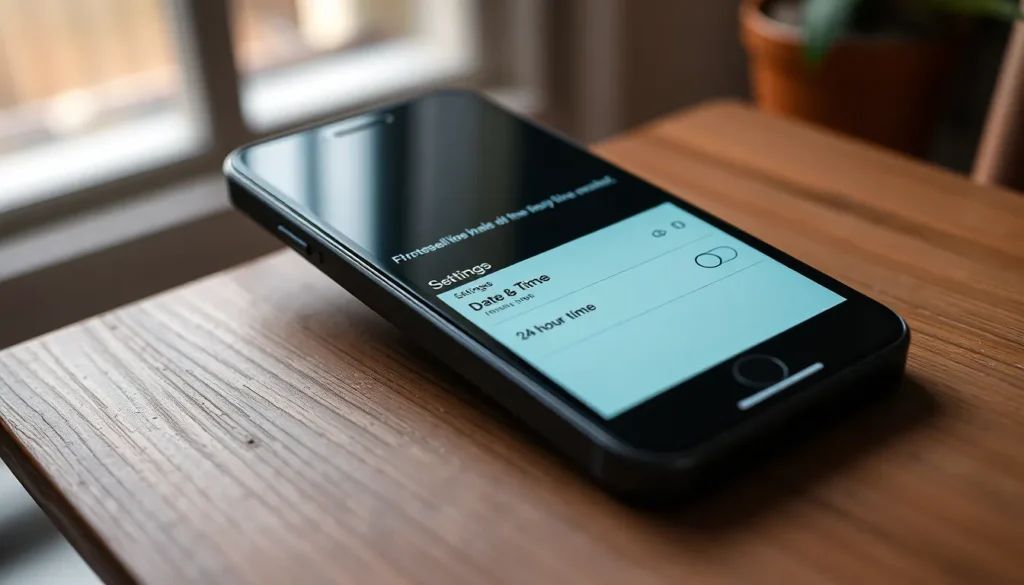
Enabling 24-hour time on an iPhone is a straightforward process that enhances time clarity. Users looking to switch can follow these steps:
Step-by-Step Guide
- Access the Settings app.
- Tap on the “General” option.
- Select “Date & Time.”
- Toggle on the option labeled “24-Hour Time.”
With these steps completed, the iPhone displays time in the 24-hour format. This change simplifies understanding of time, especially for those accustomed to military time.
Troubleshooting Common Issues
Addressing common issues can ensure a smooth transition to 24-hour time. Users may notice that the setting reverts back. Restarting the device often resolves this. If the feature is still inactive, revisiting the Settings app for updates might help. Some users may encounter discrepancies between their time zone and the displayed time. Verifying location settings can correct this.
Customizing Time Format on iPhone
Customizing the time format on an iPhone allows users to choose between 12-hour and 24-hour settings to fit their preferences. Adjusting these settings enhances user experience and aids in comprehension.
Switching Between 12 Hour and 24 Hour
To switch between the 12-hour and 24-hour formats, access the Settings app. Next, select “General” and tap on “Date & Time.” Toggle the “24-Hour Time” option to enable or disable the format. Users can monitor the time immediately after changing the setting. Note that the change affects the entire device, making it consistent across all apps. Switching back is just as simple, ensuring flexibility for personal preferences.
Impact on Other Time-Related Features
Choosing the 24-hour format influences several time-related features on the iPhone. Notifications and alarms reflect the selected time format, eliminating confusion about AM or PM. Calendar events also display in the chosen format, promoting clarity when scheduling appointments. Additionally, timers and clocks align with the set time style, providing uniformity across the device. Overall, these adjustments create a seamless experience for users and enhance the usability of time-specific functions.
Real-Life Applications of 24 Hour Time
Understanding the significance of 24-hour time impacts various aspects of daily life. This format promotes clarity across different industries, reducing confusion in time representation.
Use Cases in Various Professions
Doctors and nurses utilize 24-hour time to avoid misunderstandings during shift changes and patient care handovers. In aviation, pilots use this system for flight schedules and navigation, ensuring safety and precision. Military personnel adopt this format to coordinate operations effectively, eliminating the risk of miscommunication in high-stakes situations. Engineers and IT professionals often rely on 24-hour time for project timelines and server logs, simplifying record-keeping. Such consistent usage across professions helps streamline communication and enhances collaboration.
Benefits for Travelers and Global Communication
Travelers appreciate 24-hour time when navigating through international airports, as it aligns with the schedules followed by many countries. For global communications, businesses operating across time zones benefit from this format, reducing the likelihood of errors during meetings or deadlines. Understanding 24-hour time simplifies itinerary planning, making it easier for individuals to coordinate with foreign contacts. Mobile applications and software frequently adopt this standard to provide a seamless experience for users. Familiarity with 24-hour time fosters better connections among multilingual and multicultural audiences.
Adopting 24-hour time on an iPhone offers users a clearer and more efficient way to manage their schedules. This format reduces confusion and enhances communication, particularly in professional settings. By enabling this feature, users can streamline their interactions with international contacts and navigate time-sensitive tasks with ease.
The transition to 24-hour time is straightforward and customizable, allowing users to switch back to the 12-hour format whenever they prefer. Embracing this time system not only simplifies daily routines but also fosters a better understanding of global time conventions. Ultimately, integrating 24-hour time into one’s iPhone can significantly enhance both personal and professional time management.


